WordPress plugin Works on your existing site · nothing for visitors to install
WordPress AI chatbot · WooCommerce product assistant · Live chat
AI chatbot for WordPress
that answers your visitors day and night
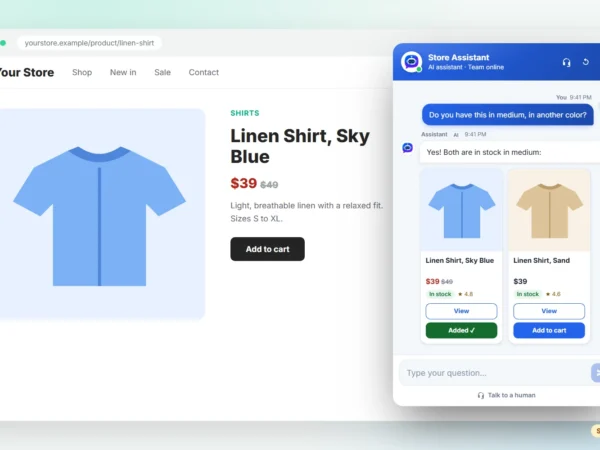
WP Smart Bot is an AI chat assistant for WordPress and WooCommerce. It learns your pages, posts and products by itself, answers questions in plain language, shows products with price, stock and an Add to cart button, and passes every lead to your team.
- Learns your site automatically
- Product cards with Add to cart
- Human handoff and voice calls
- One live inbox for your team
Features
Everything a WordPress chatbot should do, in one plugin
Most chat widgets wait for someone on your team to reply. WP Smart Bot answers by itself, from your own content, and brings in a person only when the visitor needs one.
Answers from your own pages and products
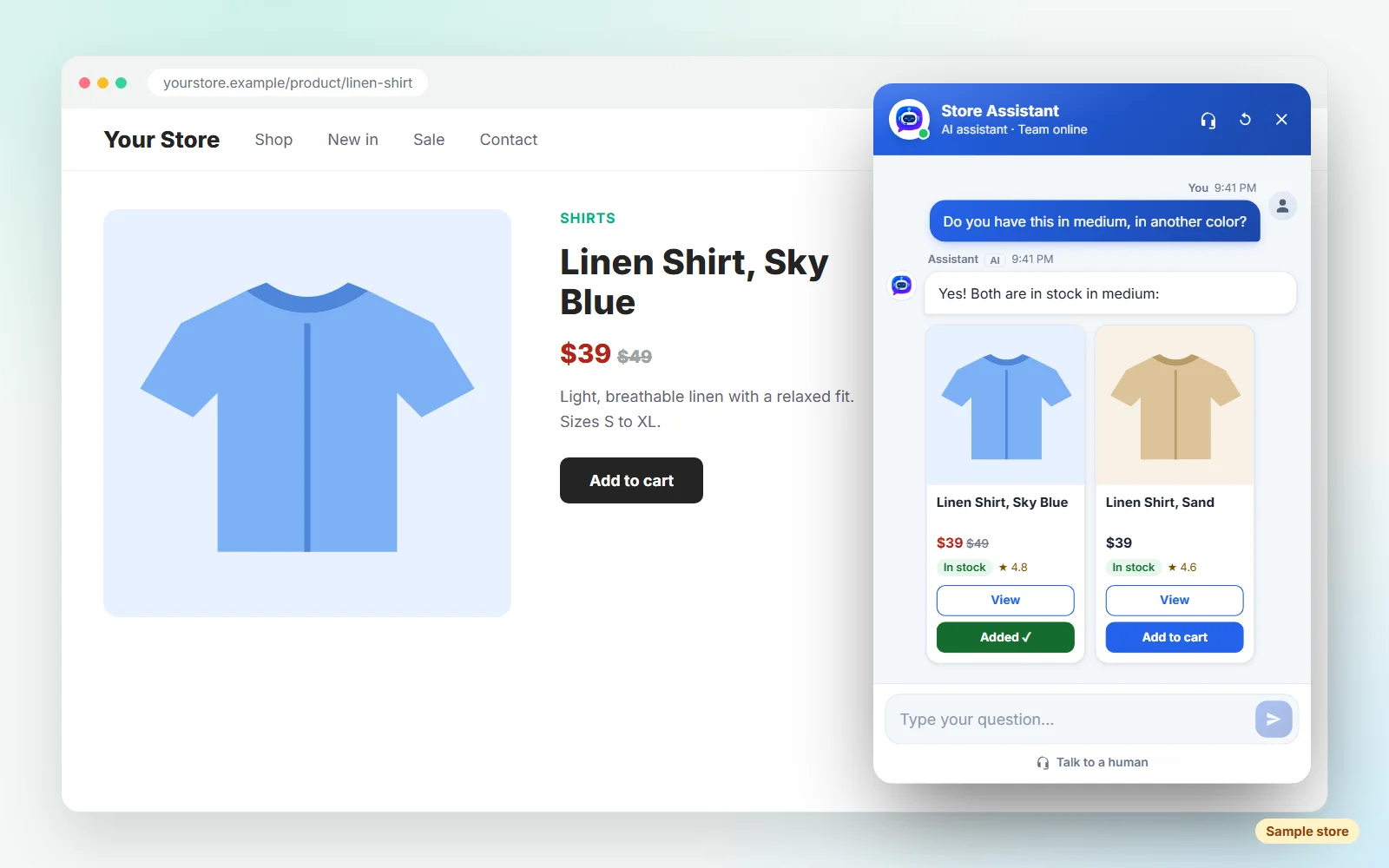
Install the plugin and WP Smart Bot reads your pages, posts and WooCommerce products. When you publish a page or update a product, it learns the change on its own, so its answers stay current without any copying and pasting.
- Learns pages, posts and products automatically
- Add PDFs, documents and FAQs to its knowledge base
- Test its answers before visitors see them
Product cards with Add to cart, right in the chat
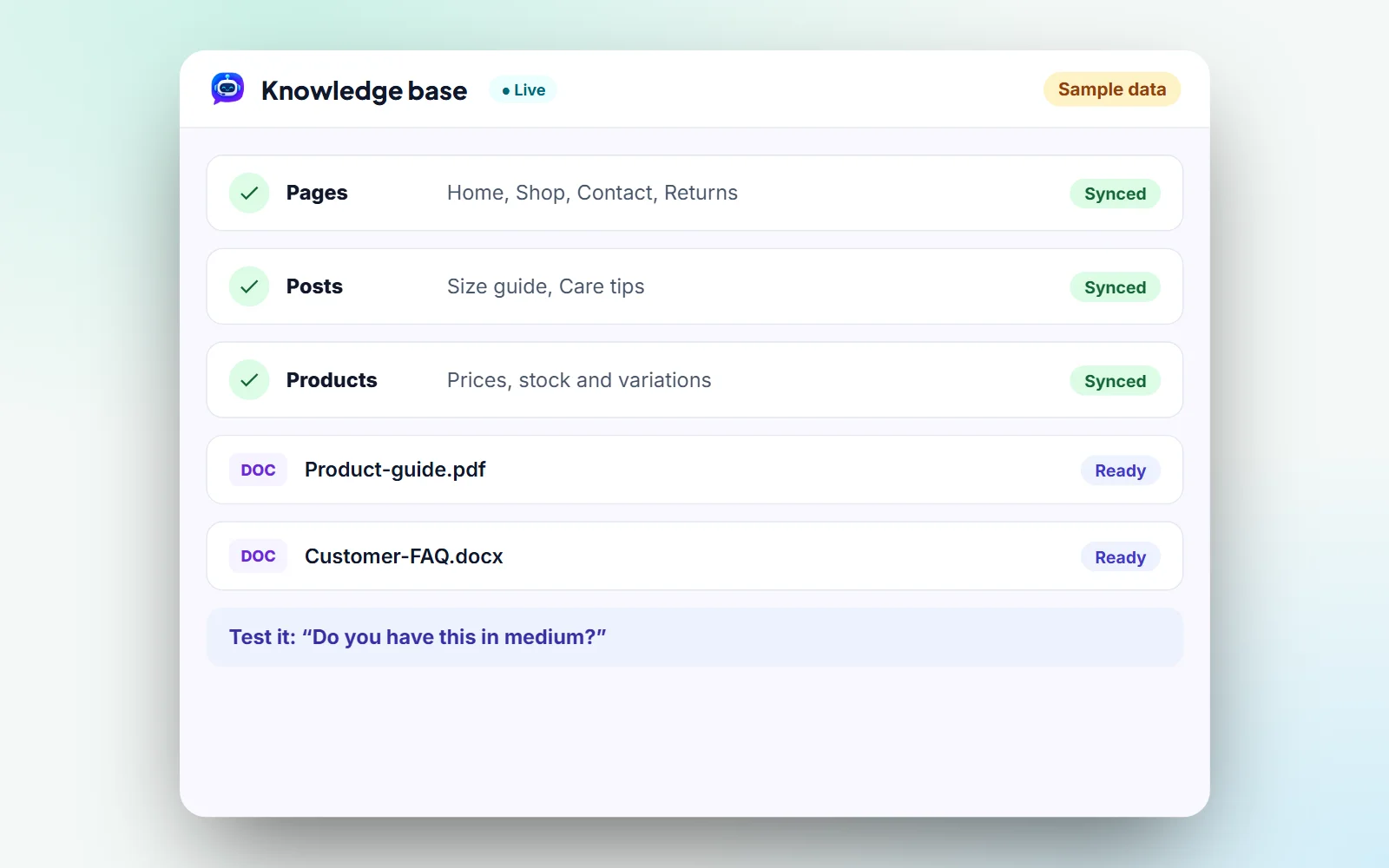
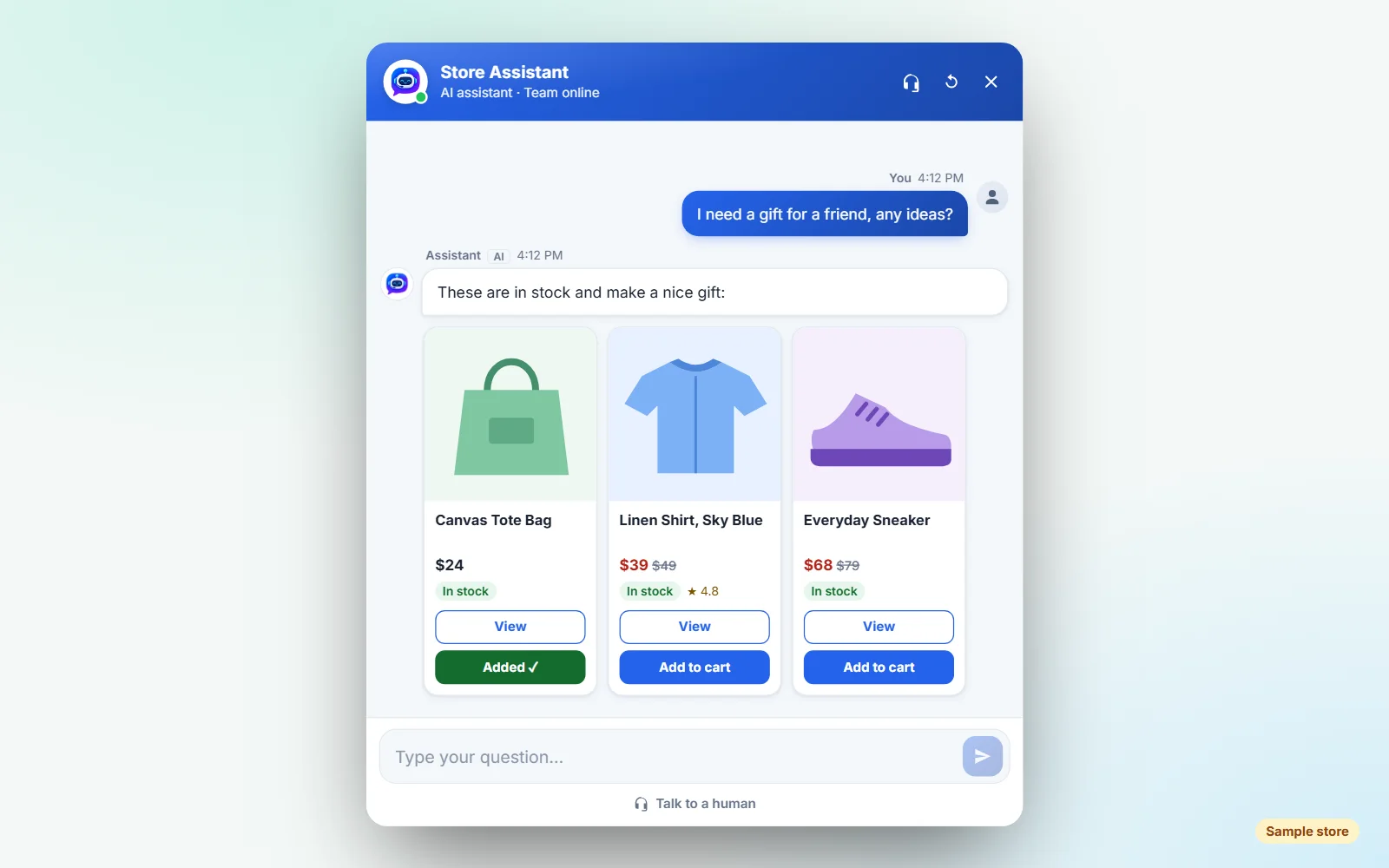
When a shopper asks for “a linen shirt in medium”, the bot replies with matching products: photo, price, stock and an Add to cart button. Shoppers stay in the conversation instead of hunting through menus.
- Price, sale price and stock on every card
- Add to cart through WooCommerce
- Can suggest similar products
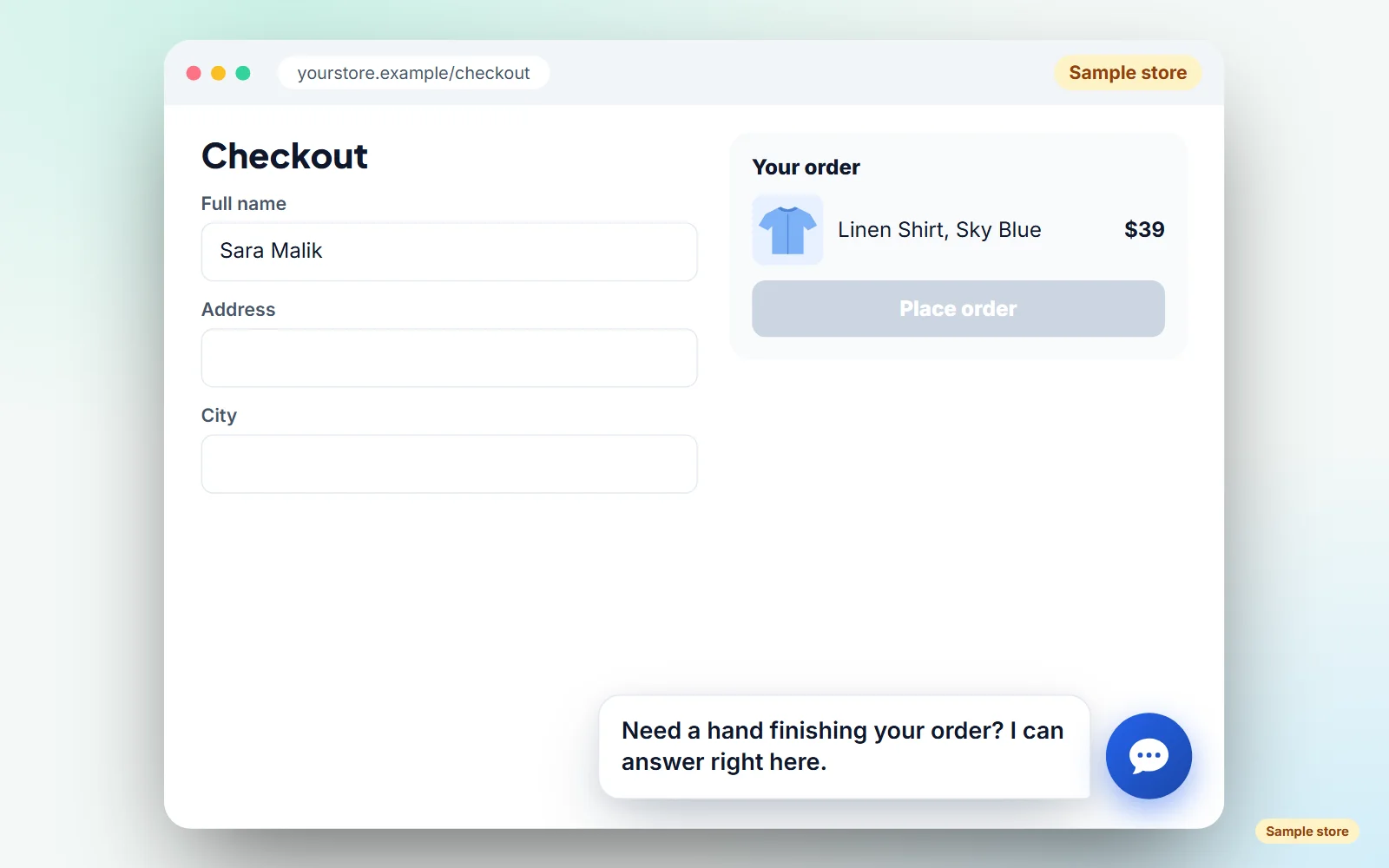
Starts the conversation at the right moment
WP Smart Bot can greet a visitor about the page they are on, after they have viewed a few pages or spent some time on your site, or when they seem stuck at checkout. A short, relevant hello is easier to answer than a generic popup.
- Greetings that match the current page
- Triggers after pages viewed or time on site
- An offer of help at checkout
A real person, whenever one is needed
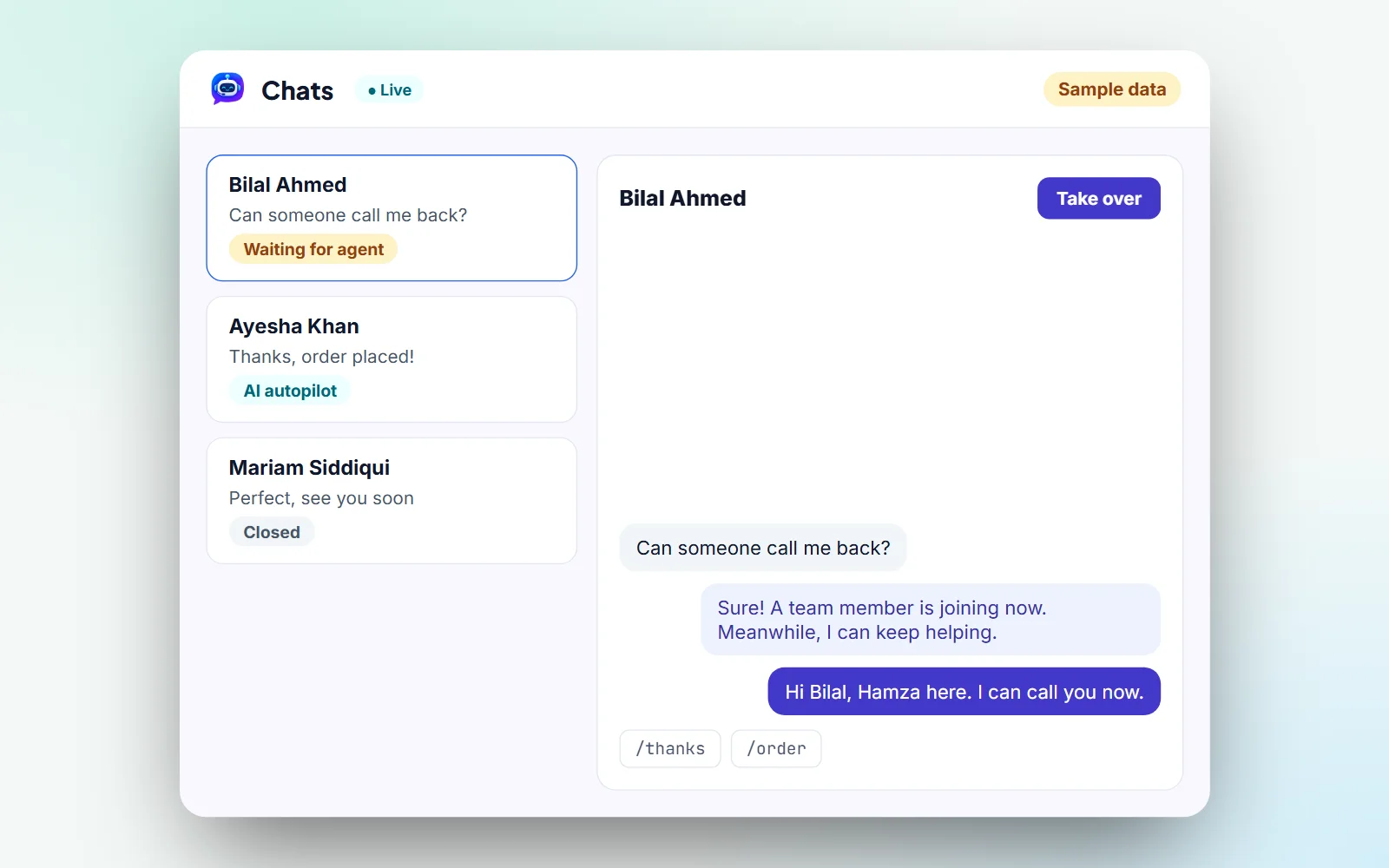
Visitors can ask for a human at any time, or call your team straight from the chat. Your agents take over from one live inbox with quick replies, and the AI keeps helping the visitor while they join.
- Talk to a human button in every chat
- Voice calls from your website
- Agents and admins, each with their own login
Leads and insights
Turn conversations into leads you can follow up
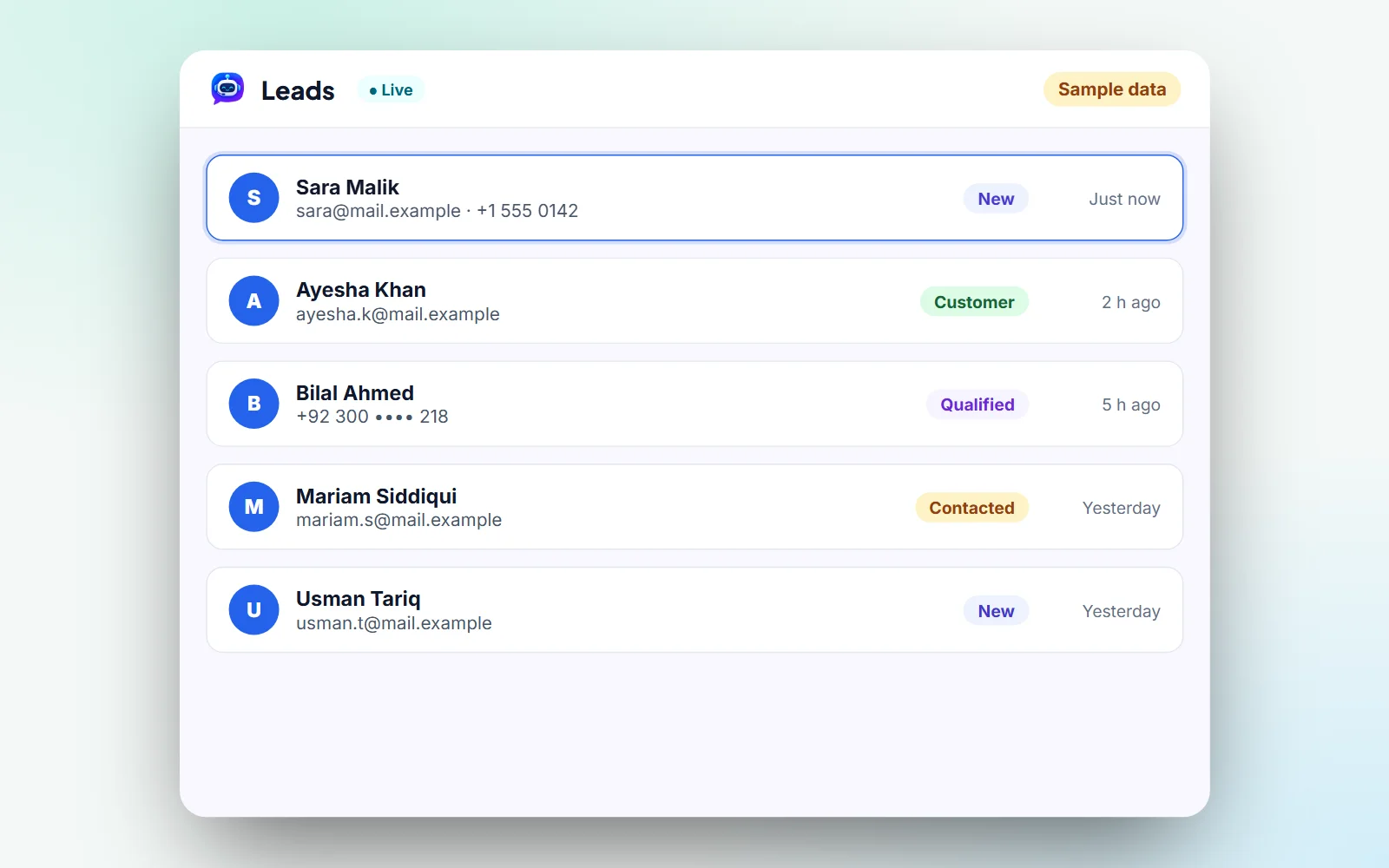
Every chat leaves something useful behind: a contact, a page path, or a question your site does not answer yet.
Every lead saved
Name, email and WhatsApp number land on your Leads page, ready for your team.
See visitors live
Which page each visitor is on, time on page, clicks and how far they scroll.
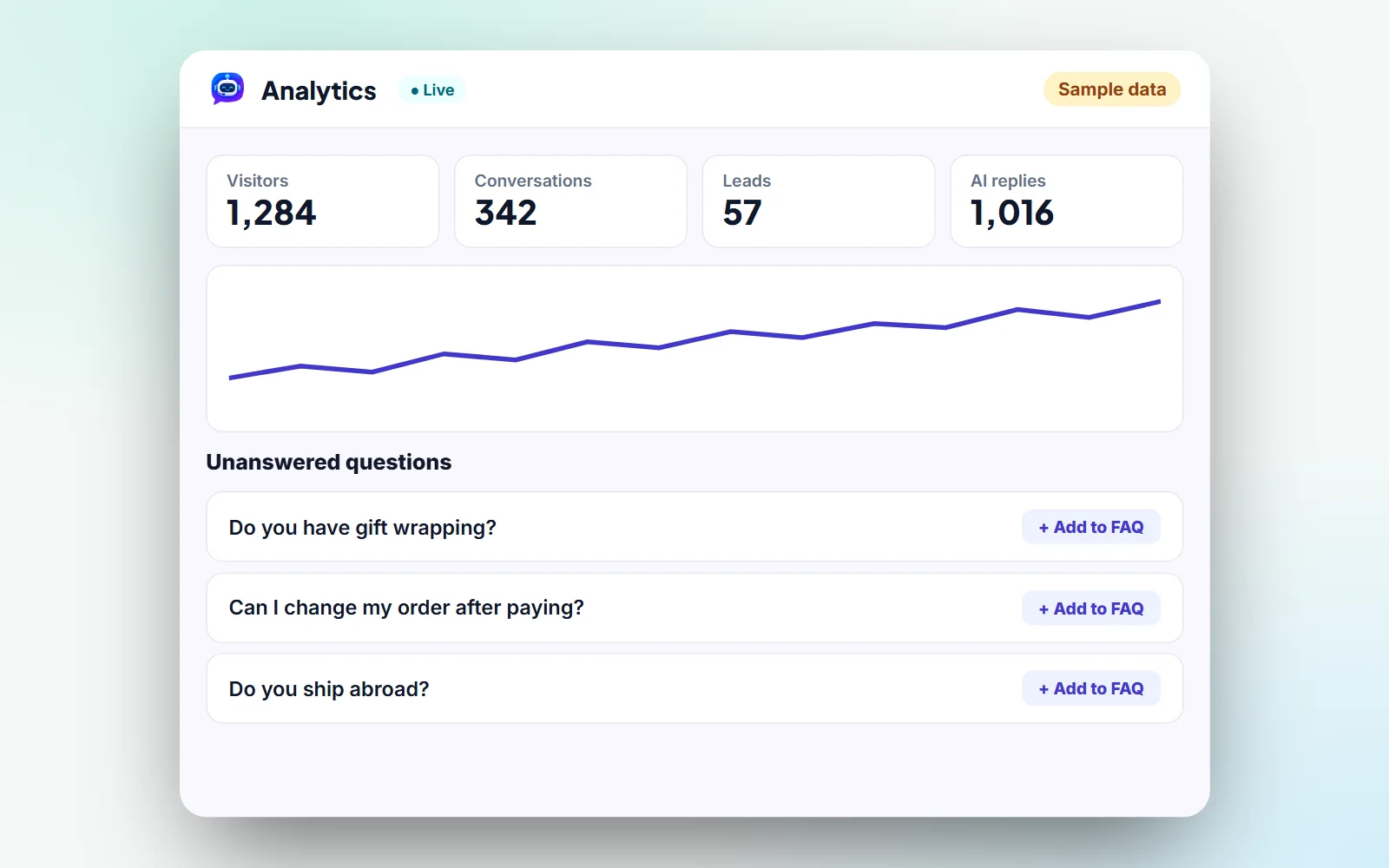
Clear analytics
Charts, chat ratings and the questions it could not answer, with one click to add them to your FAQ.
Orders linked to chats
See which conversation turned into a WooCommerce order.
Make it yours
Looks and sounds like your brand
Visitors see your assistant, not ours. Change how it looks and greets people in a few clicks.
Name and greeting
Give it your own name and the first message visitors see.
Colors and logo
Match the chat window to your brand colors and logo.
Suggested questions
Show a few starter questions so visitors know what to ask.
Business hours
Tell visitors when your team is around to take over.
How it works
Up and running in four simple steps
Setup is very easy. No coding, and no new website.
1
Install the plugin
Add WP Smart Bot to your WordPress site like any other plugin.
2
Let it learn your site
It reads your pages, posts and products by itself.
3
Make it yours
Choose the name, colors, logo, greeting and hours.
4
Chat and follow up
The bot answers visitors, and leads and conversations land in your dashboard.
Who it is for
Built for WordPress sites that talk to customers
Online stores
Answer product questions and show the right items with Add to cart.
Service businesses
Answer common questions and collect the details of people who want a quote.
Blogs and content sites
Help readers find the right post or page in seconds.
Sales and support teams
Let the AI handle repeat questions and step in for the rest.
Plans and pricing
Pick the plan that fits your site
Start free, then upgrade when you need more. Every plan covers one WordPress website. Pay monthly, or yearly and get 2 months free. Plans do not renew automatically. Prices in US dollars.
Free
$0 / month
Free forever, no card needed
To try it on your site
- 300 AI responses a month
- 5 leads a day in full (more are saved for you)
- 1 WordPress website
- 1 team seat
- Basic AI chatbot
- Knowledge base
- Basic chat history
Starter
$39 / month
or $390 a year, pay yearly
For a store that is growing
- 2,000 AI responses a month
- All your leads, unlimited
- 1 WordPress website
- 1 team seat
- WooCommerce product answers
- Product cards with Add to cart
- Visitor tracking
- Lead capture and quick replies
- Analytics: last 30 days
Most popular
Growth
$79 / month
or $790 a year, pay yearly
Everything in Starter, plus
- 5,000 AI responses a month
- 3 team seats
- Live visitors
- Human handoff
- Order-to-chat linking
- Follow-up emails
- Proactive checkout assistance
- Analytics: last 12 months
Pro
$149 / month
or $1,490 a year, pay yearly
Everything in Growth, plus
- 10,000 AI responses a month
- 5 team seats
- Voice calls
- Full analytics, all history
- Advanced chatbot configuration
- Priority support
FAQ
WP Smart Bot questions, answered
Yes. It runs as a WordPress plugin and adds the chat window on top of your existing theme, so you do not need a new website or any code changes.
No. Without a shop it answers from your pages and posts. With WooCommerce it also shows product cards with price, stock and Add to cart, and links chats to orders.
From your own pages, posts and products, plus any documents and FAQs you add to its knowledge base. You can test answers before visitors see them, and analytics shows the questions it could not answer.
Yes. Visitors can ask for a human or call your team from the chat. An agent takes over from the live inbox, and the AI keeps helping while they join.
Names, emails and WhatsApp numbers are saved on your Leads page. When a lead places a WooCommerce order, you can see which chat it came from.
Yes. The Free plan includes 300 AI responses a month, 5 leads a day in full (more are saved for you), one WordPress website and one team seat. Upgrade any time, and the new limits apply right away.
No. Plans do not renew on their own. When a period ends, you renew it from your dashboard.
Each plan covers one WordPress website. For a second site, add a second plan.
Give your website someone at the counter, day and night
Pick a plan, install the plugin and let WP Smart Bot answer your next visitor. Setup is very easy.